Low Vision Apps for Staying Connected in 2026
Published on April 8, 2026

Low vision isn't the same as blindness, but most apps don't seem to know the difference. For the millions of people who have some sight but struggle with small text, low contrast, or cluttered interfaces, finding apps that actually work can be frustrating.
What Low Vision Means
Low vision covers a wide range of conditions. Some people see well in the center but have limited peripheral vision. Others have the opposite problem. Some struggle with contrast or glare. Some see better in certain lighting conditions than others.
What most people with low vision share is that they have usable sight, but standard interfaces aren't designed for how they see. Text that's perfectly readable for most people might be a blur. A busy screen with lots of small elements becomes overwhelming. Subtle color differences that indicate button states might be invisible.
Screen readers like VoiceOver and TalkBack help many low vision users, but they're not always the right tool. Someone with partial sight might prefer to use their remaining vision when possible, turning to audio assistance only when needed.
What Makes an App Low Vision Friendly
Apps that work well for low vision users tend to share a few characteristics:
Clean, uncluttered interfaces. Fewer elements on screen means less visual noise to sort through. The most important actions should be obvious, not buried among dozens of buttons and icons.
Adequate text size and spacing. Small, tightly packed text is hard to read for anyone, but it's especially difficult for people with low vision. Apps that allow text scaling or use larger default sizes are easier to use.
Strong contrast. Light gray text on a white background might look elegant to designers, but it's nearly invisible to many low vision users. Clear contrast between text, buttons, and backgrounds makes everything more readable.
Support for system accessibility settings. Both iOS and Android have built-in accessibility features like bold text, increased contrast, and reduced motion. Apps that respect these system-wide settings automatically work better for users who need them.
Compatibility with screen readers. Even users who don't rely on screen readers full-time may use them situationally. Apps with proper VoiceOver and TalkBack support give low vision users flexibility in how they interact.
Why Voice-First Apps Work Well for Low Vision
For staying connected with friends and family, voice-based communication has natural advantages for low vision users.
Reading long text conversations can be tiring when every message requires extra effort to see clearly. Typing responses, especially on small keyboards, compounds the strain. Over time, this friction adds up, and people communicate less than they'd like to.
Voice messaging sidesteps most of these challenges. Listening doesn't require straining to read. Speaking doesn't require hunting for keys on a tiny keyboard. The interface still matters for navigation, but the core activity of communicating happens through audio rather than text.
Roads Audio and Low Vision
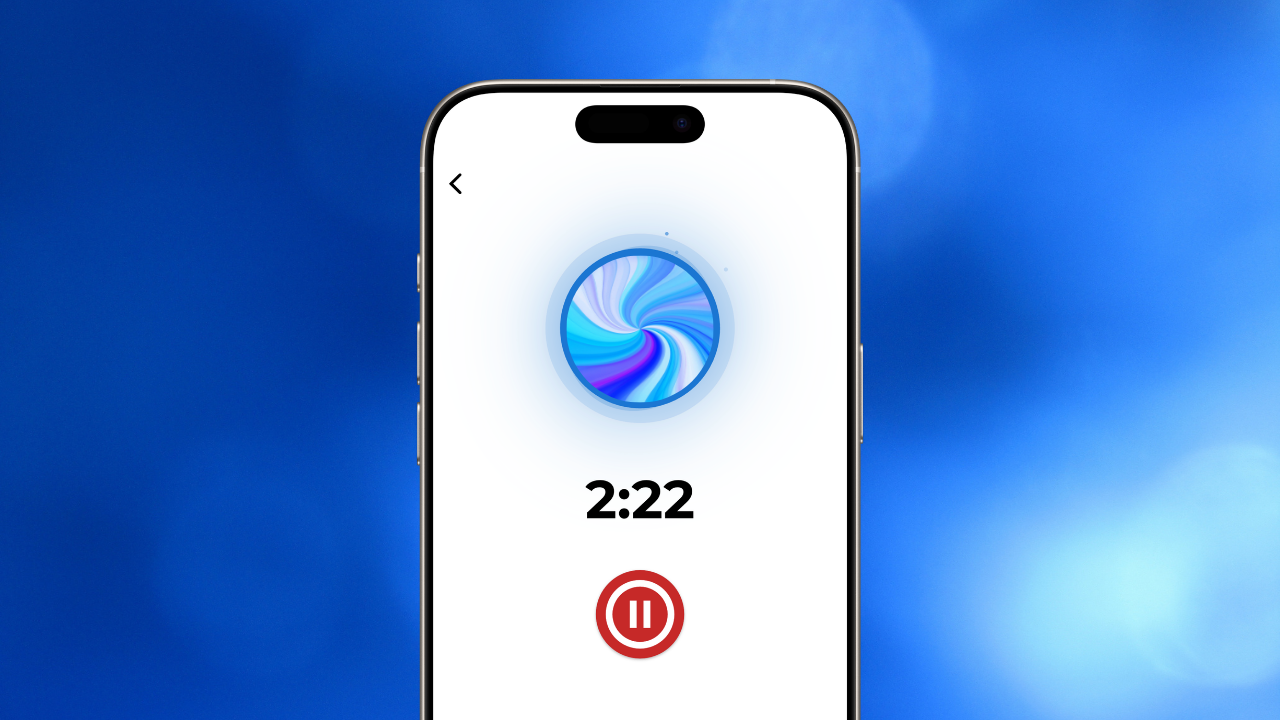
Roads Audio is built around voice messaging for groups. The interface is designed to be simple, with clear buttons and minimal visual clutter. Recording a message takes a single tap. Playback controls are large and easy to locate.
Because Roads is voice-first, most of the time spent in the app involves listening and speaking rather than reading and typing. For users with low vision, this means less eye strain and more actual connection with the people they're communicating with.
The app works with both VoiceOver on iOS and TalkBack on Android, so users can switch to screen reader navigation when needed. Strong contrast between interface elements makes buttons and controls easier to identify.
Learn more about VoiceOver compatibility on iOS or TalkBack support on Android.
Finding the Right Apps
When evaluating apps for low vision use, a few quick checks can save time:
- Are the most important buttons and controls easy to find and tap?
- Is there enough contrast to read text comfortably?
- Does the app work with screen readers if you need them?
- Can you complete core tasks without squinting or zooming constantly?
- Does the app respect your device's text size and accessibility settings?
Community reviews from other low vision users are often the most reliable source of information. People who actually use the apps daily know which ones work in practice, not just in theory.
Staying Connected Without the Strain
Communication shouldn't be exhausting. For people with low vision, the wrong apps turn simple conversations into work. The right apps get out of the way and let connection happen naturally.
Voice-first communication offers a path forward that doesn't depend on reading small text or navigating cluttered screens. When the primary interface is audio, low vision becomes much less of a barrier to staying close with the people who matter.
Try Roads Audio Free Today
Roads Audio is designed with accessibility in mind, featuring a clean interface, screen reader support, and voice-first communication that works for users with low vision.