How Blind People Stay Connected with Friends and Family in 2026
Published on March 15, 2026

Something unexpected happened with Roads Audio. Blind and visually impaired users started finding the app on their own, and they had a lot to say about it.
An Unexpected Community
Roads Audio wasn't built specifically for blind users. It's a voice messaging app for groups, designed around async audio conversations. But when blind users started discovering it while searching for collaborative audio apps, something clicked.
"I was looking for a way to have ongoing voice conversations with my family without everyone needing to be available at the same time," one early user explained. "Roads came up in my search, and once I tried it, I realized the VoiceOver support was actually solid."
From there, word spread. Blind users started recommending Roads to others, and feedback started coming in.
What Blind Users Found Valuable
The features that resonated most weren't accessibility-specific. They were the core features that make Roads different from standard messaging apps.
Async group conversations. Unlike live calls that require everyone to be available at once, Roads channels let people send voice messages whenever they have time. Listeners can catch up later, respond when it's convenient, and never miss what was said. For families spread across time zones or friend groups with clashing schedules, this flexibility matters.
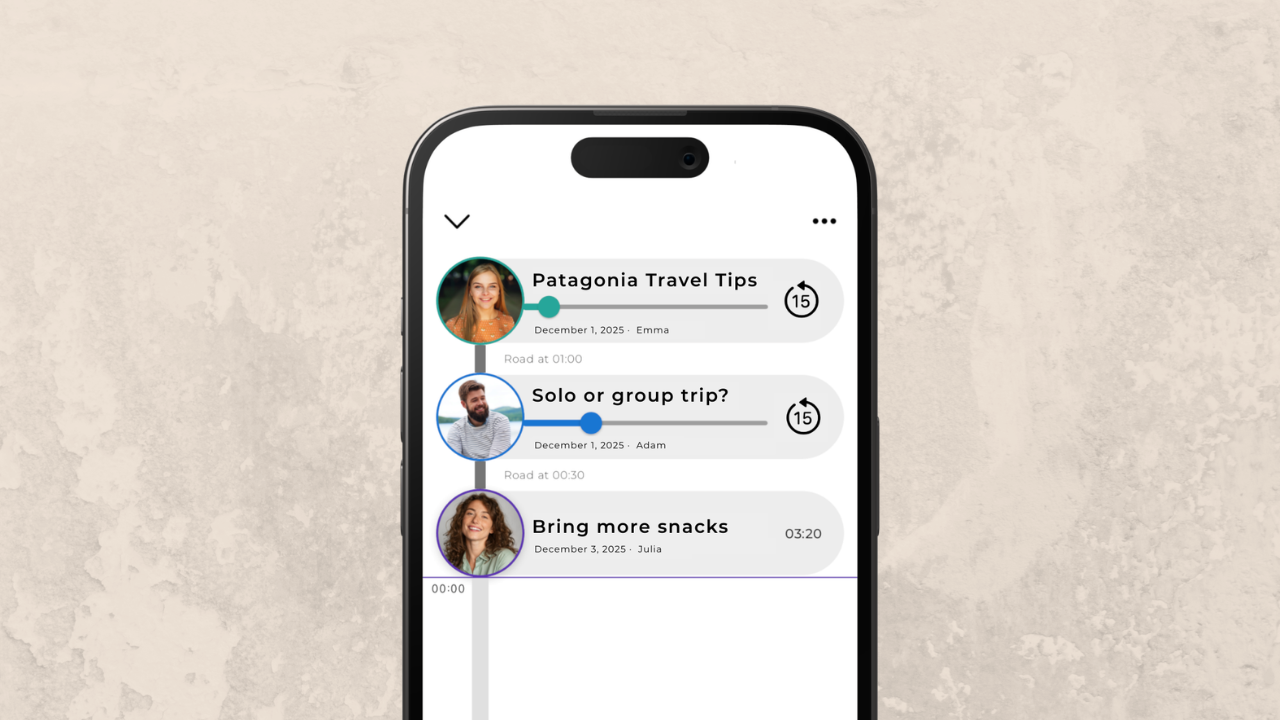
Organized discussions. Messages in Roads don't pile up in a chaotic stream. Conversations stay threaded and organized, so context is preserved even when discussions span days or weeks. Timestamped comments let people respond to specific moments in a message, keeping conversations focused.
Voice as the default. Roads is built around voice from the start, not text with voice bolted on. For users who prefer audio communication, this feels more natural than apps where voice messaging is a secondary feature.
Accessibility That Works
What surprised many blind users was how well Roads worked with VoiceOver and TalkBack out of the box. Screen reader support wasn't an afterthought.
"The rotor actions make sense," one user noted. "I can navigate channels, control playback, and record responses without fighting the interface. It's clear someone actually thought about how screen reader users would interact with this."
But what users appreciated even more was the responsiveness to feedback.
"I mentioned a few things that could be improved, and within a couple weeks those changes showed up in an update," another user said. "That almost never happens. Usually accessibility feedback goes into a void."
One App for Everyone
One thing that sets Roads apart is that blind and sighted users share the same platform. There's no separate "accessible version" of the app. Everyone uses the same interface, joins the same channels, and communicates the same way.
This matters for connection. A blind user can create a family channel and invite sighted relatives without asking anyone to download a special app or learn a different system. Everyone just sends voice messages to each other.
"My sighted friends use it too," one user mentioned. "They like the async voice thing for their own reasons. It's nice not being the only one using a particular app just because of accessibility."
A Growing Community
The blind community's adoption of Roads Audio has been entirely organic. Users found it, tried it, liked it, and told others. That word-of-mouth growth has shaped the app's development, with accessibility improvements driven by real feedback from real users.
For anyone looking for a way to stay connected with friends and family through voice, Roads offers something different: private audio channels where conversations happen on your schedule, organized discussions that don't get lost, and an app that works seamlessly with screen readers.
Learn more about why voice-first apps work well for blind and visually impaired users.
Try Roads Audio Free Today
Join the growing community of users who've found a better way to stay connected through voice. Download Roads Audio and start a channel with the people who matter most.